Usage
After defining the configuration file with the necessary credential and model details, consider the following scenario.
A data scientist is working on 5 models,
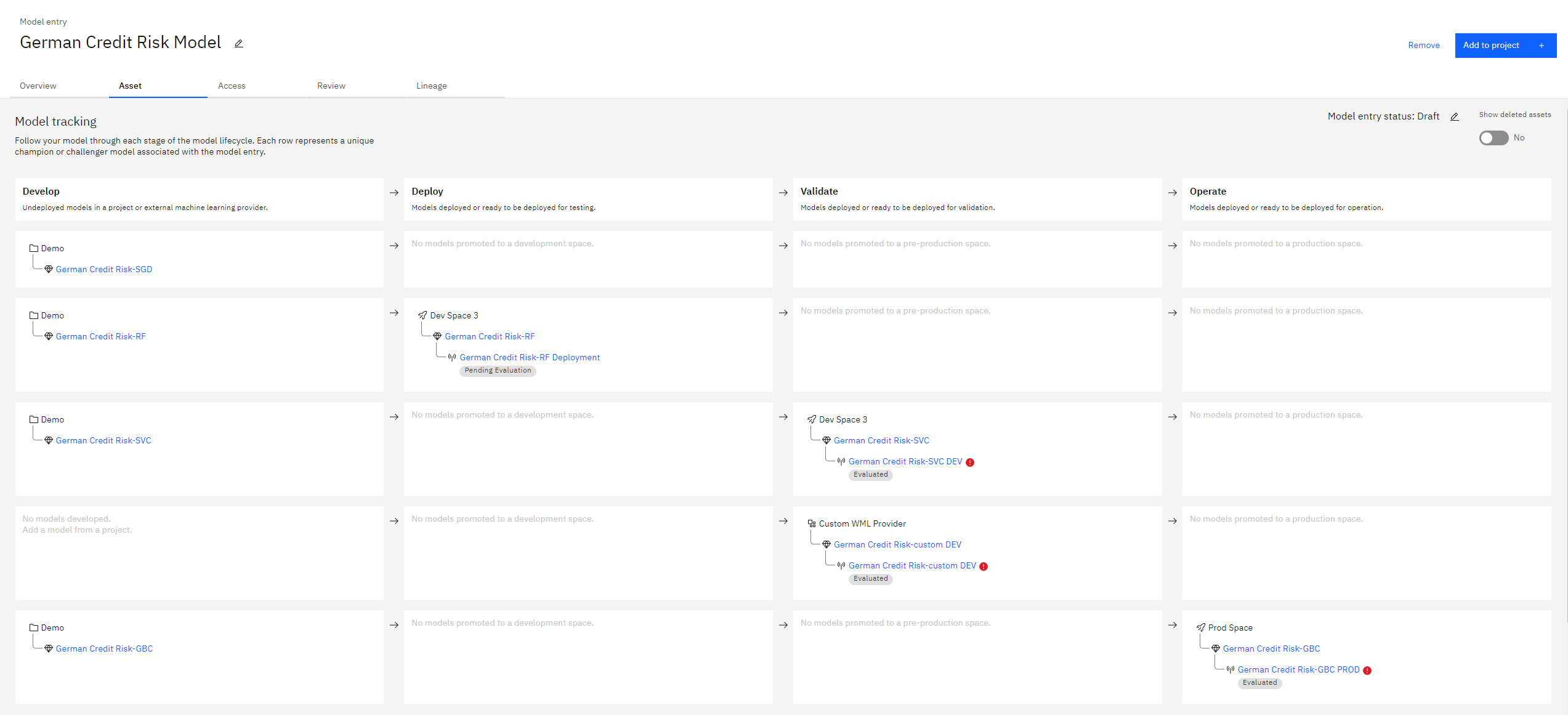
German Credit Risk-SGD- Stochastic gradient descent classiferGerman Credit Risk-RF- Random forest classiferGerman Credit Risk-SVC- Support vector classiferGerman Credit Risk-custom- Custom ML model hosted externallyGerman Credit Risk-GBC- Gradient boosting classifer
Assume the following tasks,
Store
German Credit Risk-SGDin the project spaceDeploy
German Credit Risk-RFto the development spaceValidate
German Credit Risk-SVCandGerman Credit Risk-customin the development enviromentOperate
German Credit Risk-GBCin the production enviroment
The above tasks can be easily achieved by either the CLI or Python API using the below commands,
Using the CLI
# store model in project space
cpdflow apply develop -c config.json -m "German Credit Risk-SGD"
`  `

# deploy model in development space
cpdflow apply deploy -c config.json -m "German Credit Risk-RF" -s "dev"

# validate model in development space
cpdflow apply validate -c config.json -m "German Credit Risk-SVC" -m "German Credit Risk-custom"

# operate model in production space
cpdflow apply operate -c config.json -m "German Credit Risk-GBC"
Using the Python API
import cpdflow

config = {} # define the configuration file, refer to the configuration file documentation

# store model in project space
cpdflow.apply.develop(config=config, model_names=["German Credit Risk-SGD"])

# deploy model in development space
cpdflow.apply.deploy(config=config, model_names=["German Credit Risk-RF"], space_type="dev")

# validate model in development space
cpdflow.apply.validate(config=config, model_names=["German Credit Risk-SVC", "German Credit Risk-custom"])

# operate model in production space
cpdflow.apply.operate(config=config, model_names=["German Credit Risk-GBC"])
Below is the the final output in Model Inventory.